Best for dashboards, invoices, summaries, and normal-sized Excel reports.
MnbExcel::fromArray($rows)
    ->withHeader()
->save('report.xlsx');Best usage documentation
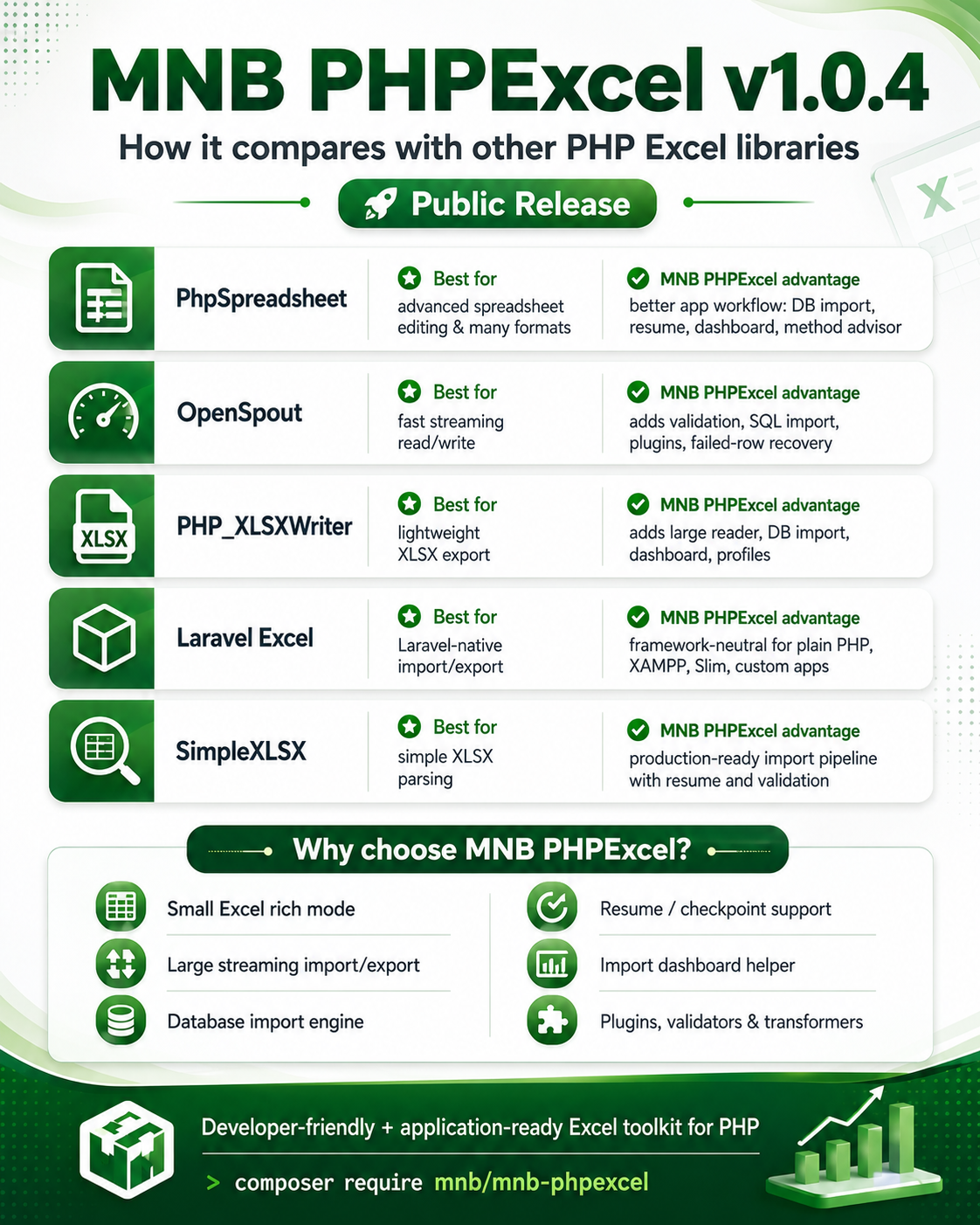
MNB PHPExcel v1.0.4 is a framework-neutral PHP Excel toolkit for small report files, large streaming import/export, database workflows, resume support, failed-row recovery, dashboard status, and plugin-level customization.

Use rich mode for small reports, large import mode for uploaded XLSX files, and large export mode for database result sets.
Best for dashboards, invoices, summaries, and normal-sized Excel reports.
MnbExcel::fromArray($rows)
->withHeader()
->save('report.xlsx');Best for admin uploads, product/student/customer imports, and database workflows.
MnbExcel::largeImportToSql(
    'students.xlsx',
    __DIR__ . '/.env',
    'students',
    ['with_header' => true, 'resume' => true]
);Best for huge reports where you should not use fetchAll().
MnbExcel::largeExportFromSql(
    __DIR__ . '/.env',
    'SELECT * FROM orders'
)->withHeader()->save('orders.xlsx');Use this package in plain PHP, XAMPP, Slim, CodeIgniter-style projects, custom MVC apps, cron jobs, and queue workers.
composer require mnb/mnb-phpexcel<?php
require __DIR__ . '/vendor/autoload.php';
use Mnb\PHPExcel\MnbExcel;echo MnbExcel::environmentAlertMessage();The biggest mistake in Excel imports is loading a huge workbook into PHP arrays. Use this decision table to route work safely.
| File / workflow | Recommended API | Why |
|---|---|---|
| Small report, invoice, dashboard export | fromArray() |
Rich mode supports headers, styles, formulas, comments, hyperlinks, and integrity validation. |
| Uploaded Excel with unknown size | autoImportPlan() |
Preflight checks rows, columns, sheets, file complexity, and recommends safe processing. |
| Large XLSX import to database | largeImportToSql() |
Streams chunks, validates rows, batch inserts valid data, exports failed rows, and resumes safely. |
| Huge SQL export | largeExportFromSql() |
Uses PDO cursor style export and avoids fetchAll() memory spikes. |
| Very large plain data export beyond comfortable XLSX use | saveCsvZip() |
Splits CSV parts into a ZIP with a manifest, useful for ultra-large tabular data. |
| Deep workbook manipulation or formula calculation engine | Use PhpSpreadsheet or adapter | MNB PHPExcel is optimized for application import/export workflows, not full Excel engine replacement. |
Use rich mode when the file is small/normal and the output needs formatting, styles, comments, hyperlinks, formulas, JSON, XML, or CSV.
MnbExcel::fromArray($rows)
    ->withHeader()
    ->freezeHeader()
    ->autoFilter()
    ->formatColumn('amount', 'currency')
    ->hyperlink('B2', 'https://example.com', 'Open source')
    ->comment('C2', 'Admin', 'Please verify this value.')
->save('report.xlsx');Developers can save files or return output directly to API responses.
$json = MnbExcel::fromArray($rows)->toJson();
$xml  = MnbExcel::fromArray($rows)->toXml();

return $json;Analyze first, show the recommended route, then import using streaming chunks and resume support.
$plan = MnbExcel::autoImportPlan('students.xlsx', [
    'server' => 'shared',
    'memory_limit' => '256M',
]);

$result = MnbExcel::largeImportToSql('students.xlsx', __DIR__ . '/.env', 'students', [
    'with_header' => true,
    'chunk_size' => $plan['chunk_size'],
    'batch_size' => 250,
    'resume' => true,
    'duplicate_strategy' => 'skip',
    'failed_rows_format' => 'human',
    'time_budget_seconds' => 25,
]);Use large export for big reports. It streams rows, uses inline strings, supports basic formats, progress callbacks, atomic save, and XLSX integrity validation.
MnbExcel::largeExportFromSql(
    __DIR__ . '/.env',
    'SELECT id, name, amount, created_at FROM orders'
)
->withHeader()
->formatColumn('amount', 'currency')
->formatColumn('created_at', 'date')
->progress(function (array $state) {
    // update CLI/admin progress
}, 5000)
->save('orders.xlsx');When the data is too large for practical XLSX usage, split CSV parts into a ZIP.
MnbExcel::largeExport($rowGenerator)
    ->withHeader()
    ->csvRowsPerFile(500000)
->saveCsvZip('orders-csv-parts.zip');Real applications normally keep DB details outside vendor code. MNB PHPExcel accepts multiple application-friendly connection sources.
DB_CONNECTION, DB_HOST, DB_DATABASE, DB_USERNAME, and DB_PASSWORD.
Return a PHP array from config/database.php and pass the file path directly.
If the app already has a PDO instance, pass it directly to import/export APIs.
# .env
DB_CONNECTION=mysql
DB_HOST=127.0.0.1
DB_PORT=3306
DB_DATABASE=app
DB_USERNAME=root
DB_PASSWORD=secret
DB_CHARSET=utf8mb4Profiles avoid repeating chunk size, table, validation, duplicate strategy, and column mapping in every controller.
MnbExcel::registerImportProfile('student_import', [
    'table' => 'students',
    'with_header' => true,
    'chunk_size' => 500,
    'batch_size' => 250,
    'idempotent' => true,
    'duplicate_strategy' => 'update',
    'unique_by' => ['student_id'],
    'rules' => [
        'email' => 'nullable|email',
        'amount' => 'nullable|numeric',
    ],
]);

MnbExcel::profile('student_import')
    ->source('students.xlsx')
->run(__DIR__ . '/.env');Use the dashboard helper to build progress bars, failed-row download buttons, and resume actions.
$status = MnbExcel::importDashboard($manifestPath, [
    'download_base_url' => '/admin/imports/downloads',
]);

return json_encode($status);Register validators, transformers, import profiles, and events from your application bootstrap or plugin file.
MnbExcel::validator('valid_student_id', function ($value) {
    return preg_match('/^STU-[0-9]{5}$/', (string) $value)
        ? true
        : 'student_id must match STU-00000 format.';
});MnbExcel::transformer('clean_rows', function (array $row): array {
$row['email'] = strtolower(trim((string) ($row['email'] ?? '')));
return $row;
});
Benchmarks should be run on your real server because speed and memory depend on PHP version, extensions, disk, database, and CPU.
php tools/benchmark-proof-report.php \
    --rows=100000,500000,1000000 \
    --cols=10 \
    --json \
    --markdown \
--keep-files| Problem | Likely reason | Recommended fix |
|---|---|---|
| XLSX read/write not working | ext-zip or ext-xmlreader missing |
Enable extensions in php.ini, restart Apache/CLI terminal, then run environmentAlertMessage(). |
| Large import timeout | HTTP request limit or shared hosting timeout | Use time_budget_seconds, manifest resume, cron, queue, or CLI runner. |
| Duplicate database rows | No unique key or idempotent strategy | Add DB unique index and use duplicate_strategy as skip or update. |
| Phone/ID numbers changed | Excel/PHP numeric conversion | Use preserveNumericStrings() for imports and text format for export columns. |
| Excel repair warning | Broken XLSX package relationship/content type | Keep XLSX integrity validation enabled and use atomic save. Do not disable validation in production. |